 LingFrame AI
Choose the source photo
Choose a deliberate expression
Look straight at the camera or turn slightly with both eyes visible. A playful pose works well if the original face is sharp. Keep fingers away from the eyes so they remain easy to check after the edit.
Leave space for your final crop
Start with a little extra room around the chin and hair. If the image is going into a collage, make the panels in your layout editor and reserve room for the borders before you place them.
Use the template
- Crop a copy in your photo editor if needed. Open the template workspace, check the accepted formats and size, and upload your prepared photo. Use the preview to confirm you selected the right file.
- Review the credits shown in the workspace. Select the creation button and sign in if prompted.
- Open the completed result, review it using the checks below, and save the version you want.
Make a single-photo birthday carousel
Create a retro portrait from a clear party selfie and reserve it for the opening tile. Add other actual party photos on the following slides. If you want a border or a date, add the right date in your editor and test the slide at phone size.
Inspect the template cover
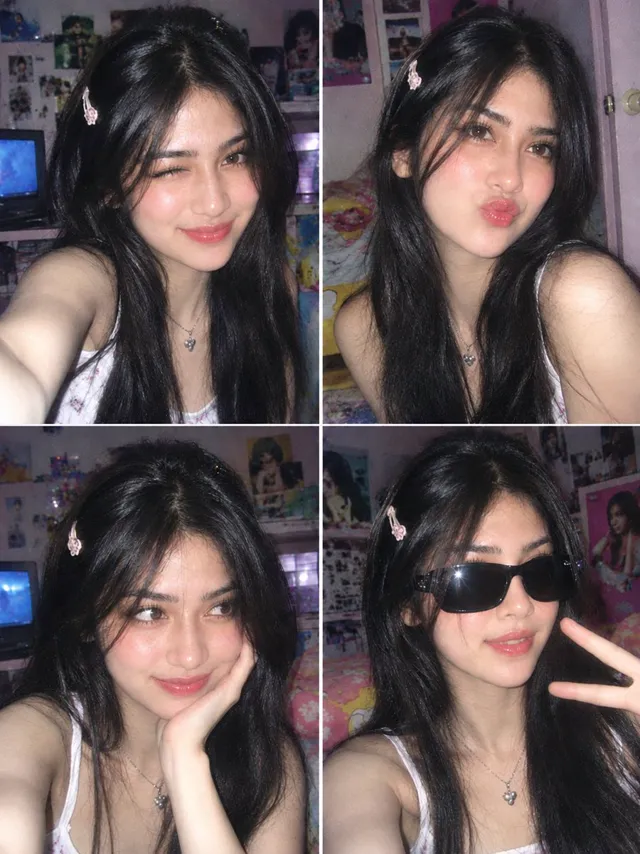
The cover uses a four-panel composition. Look for a consistent face, skin tone and flash direction across any panels your result includes. The file configuration is a still image, so check the composition before designing a print.
For your next attempt If one panel loses important features to flash or occlusion, choose a sharp input with a clear view of the eyes. For a custom strip layout, set each panel’s crop and spacing in your editor.
Review the result
- Keep the flash readable
- Check that the bright areas retain detail around the forehead and eyes. A strong flash feel works when the expression still reads in a small preview.
- Keep the set consistent
- If you build a strip, compare the face and white balance across each panel. Keep the spacing and borders consistent. Use original text so new letters stay readable.
Questions
Does this export a printable photo strip?
The template is configured for a still image. Its cover shows four panels in one composition. Check your finished image before printing. Set the print dimensions and margins in a layout editor if you need a strip.
Do I need an early-2000s camera?
A sharp modern portrait works as a source. The template supplies a retro style, which you can compare with the original before posting.