 LingFrame AI
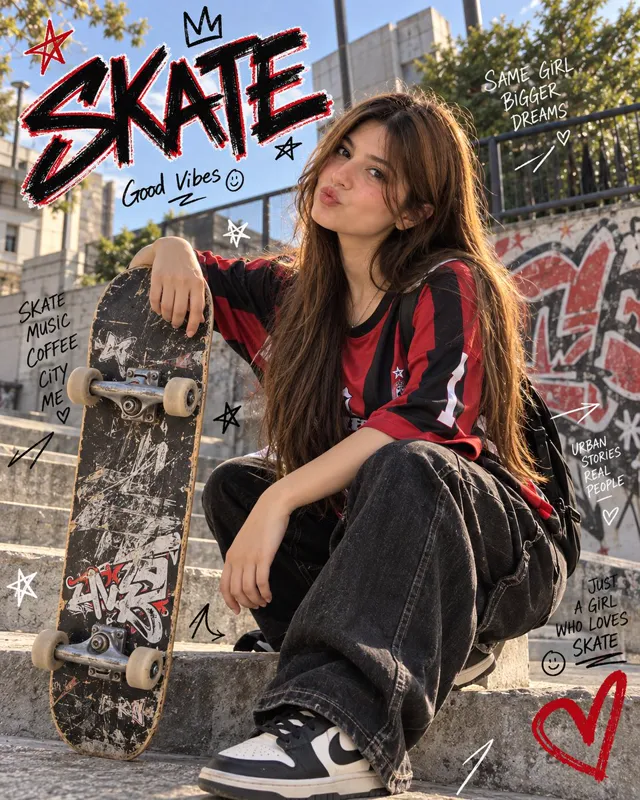
Choose the source photo
Show the garment in the source
If the jacket is the focus, keep its collar, sleeves and hem in view. For trousers or sneakers, start with a wider photo. Separate the arms slightly so the garment outline stays easy to see.
Choose an angle with a clear silhouette
A three-quarter pose often shows enough depth to read the layers. Avoid a mirror edge that divides the outfit, or crop the edge out on a copy if it adds nothing to the result.
Use the template
- Crop a copy in your photo editor if needed. Open the template workspace, check the accepted formats and size, and upload your prepared photo. Use the preview to confirm you selected the right file.
- Review the credits shown in the workspace. Select the creation button and sign in if prompted.
- Open the completed result, review it using the checks below, and save the version you want.
Style a jacket for an outfit carousel
Use a waist-up image with both shoulders visible and retain the original close-up of the jacket stitching. Put the styled image first to introduce the look and use the original detail photo on a second slide when showing what the garment actually looks like.
Inspect the template cover
Look at the clothing silhouette before reading the background. Then zoom in on junctions such as the cuff against the hand and the sole against the pavement, where inaccurate changes are easiest to see.
For your next attempt If the styled image changes a logo or a seam that matters, use a tighter source crop with that detail in focus. Use an original product photo to document the real garment.
Review the result
- Compare materials and details
- Zoom in on the seams, cuffs, lettering and logos. Keep real photographs for product listings when the new image changes a detail about the product.
- Preview the crop at phone size
- Check that sunglasses, bag straps and other accessories do not merge into the background. Leave space around the feature you picked before adding text.
Questions
Will the template preserve my exact outfit?
A style edit can alter color, cut or details. Compare the result with your reference before sharing it as a look that represents the real item.
Can I specify an exact replacement jacket?
Choose the separate AI outfit workflow when you have a specific garment reference and need to control the replacement.