Before you start
- A product image you may use, with the full item visible
- The outline, colour and text details that must be checked
- One short-shot idea and the intended frame
Worked example: turn an idea into a shot plan
These are adaptable creative plans, not verified results from these prompts. Narrow the task first, then compare the output with your source.
 Shot plan
- Choose the source
- A product photo with a readable label, clear outline and simple background.
- Change one thing
- Keep the product still and slowly move the camera closer.
- What to keep steady
- Cap structure, label typography, packaging colour and silhouette.
Spin the product all the way around, light up the label and turn the background into a luxury ad.
Without an observable action or clear constraints, it is hard to judge whether the output meets the goal.A more specific starting prompt
Adapt this prompt to the image you want to use.Upload a photo and try itCheck App availability
How to assess this version
Inspect label strokes, the cap connection and reflective edges throughout. Attractive footage with altered lettering or structure is not an accurate product display.
What to change on the next attempt
If the label distorts, fix the camera and check whether a still task also alters the text. Do not add rotation at the same time. Use authentic label artwork in editing when exact lettering matters.
Adjust one item from the checks, then compare.Try another version in the workspaceCheck App availability
Expand: keep a reusable iteration log
Download the blank log and add the model, framing and observations. Change one variable at a time so you can trace a difference. This template is not a completed test.
01Select a source you can actually evaluate
Use a clear silhouette against a readable background. A bottle cut off at the cap or a label that is already illegible gives you little evidence for judging the result. Keep a separate original file for comparison.
If the purpose is a product listing or brand presentation, write down which details must remain accurate. The model may generate plausible-looking construction that differs from the actual item.
02Try a single, restrained motion brief
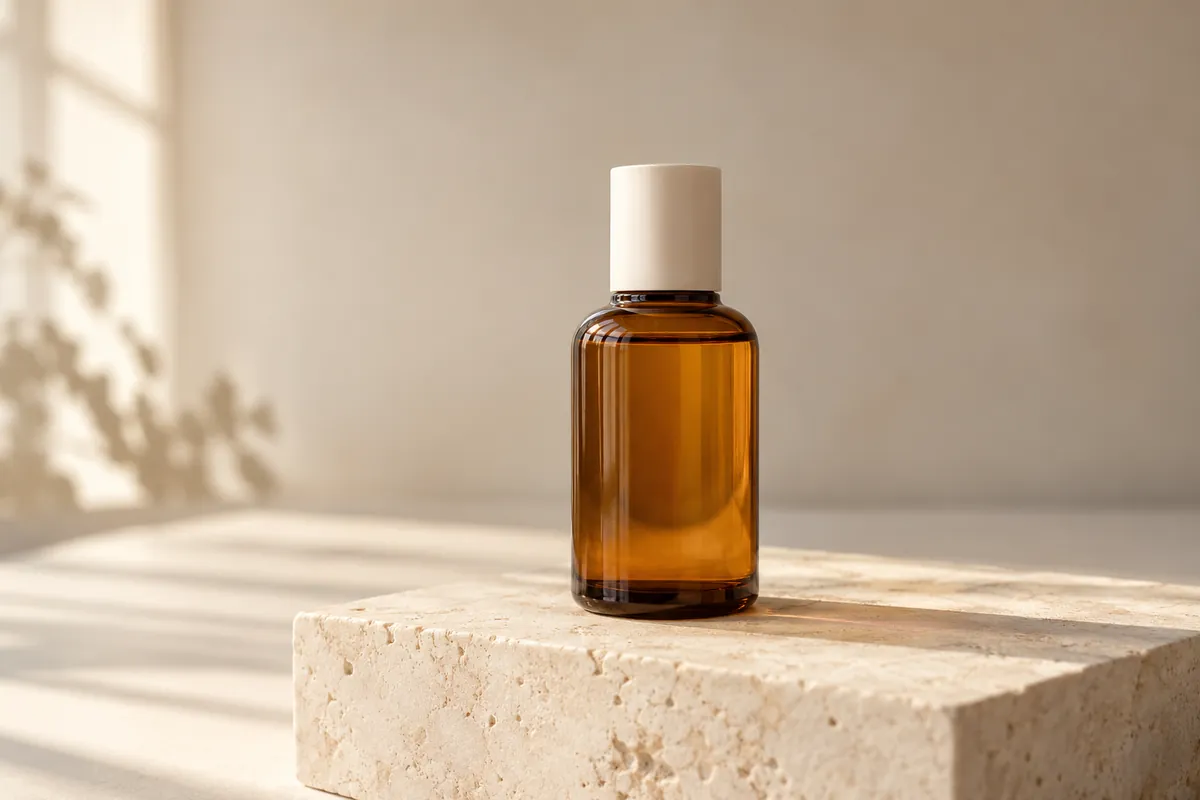
The bottle illustration is a composition example, not a product-video test. The following prompt is a starting instruction to adapt. Do not interpret it as a guarantee that packaging or lettering will stay exact.
Stationary product, slow push-in
03Inspect the details that make it the same product
| Detail | Possible deviation | Next step |
|---|---|---|
| Cap and outer shape | Extra edges or a changing silhouette | Reduce motion or use a clearer source |
| Label and logo | Changed characters or drifting placement | Reject inaccurate branding; add approved text later if suitable |
| Glass and reflections | Highlights move in an implausible way | Simplify the lighting brief and inspect another result |
04Finish the message after reviewing the image
If text accuracy matters, a controlled title overlay in your usual editor may be more appropriate than asking a video model to redraw words. That overlay is a separate editing step; this guide does not imply the generation task adds captions automatically.
Save the original, result, prompt, model, duration, ratio and charged credits. A second attempt should change one variable, such as the motion description. Before publishing, check the whole clip against the real product and the required image permissions.
How to do it in LingFrame AI
Open the creation workspace, sign in and choose image-to-video. Upload your prepared photo.
Adapt the relevant prompt below to one main movement. Avoid changing the subject, background and camera together.
Choose the ratio, duration and quality available for the selected model. Review the credits before submitting.
Open the result in your creation history and watch the full clip against the checks below. Change one variable and save a record if you retry.
LingFrame AI
Put this guide to work on your own photo
Prepare your images and choose the matching tool in the workspace. Check the model, settings and credits before submitting.
On mobile, check App availability and download options first.
Before you keep the result
- Packaging, shape and colour are acceptable for the intended use
- No misleading product claim depends on a generated detail
- Important text is legible and the ending has been reviewed
Frequently asked questions
Is product rotation always better than a push-in?
No. Rotation asks for unseen sides. A still product and restrained push-in can be easier to inspect against the source.
Does the generated clip prove the real product appearance?
Appearance alone is insufficient. Check packaging, lettering and colour against the actual item; invented detail is not product evidence.
Sources and method
This is a shot-planning and review guide. The bottle is an existing illustrative asset, and the prompt has not been presented as a measured product result. No conversion uplift, exact label preservation or generation success rate is claimed.
Prepared by the LingFrame AI content team. File observations, illustrations and suggested instructions are identified separately. Prompts express a goal, not a guarantee. Check the current workspace for available models, upload limits, settings and credits.