Before you start
- A clear person photo with the clothing area visible
- A separate clothing reference with a readable silhouette
- The previous instruction and result, if you are diagnosing an edit
Worked example: turn an idea into a shot plan
These are adaptable creative plans, not verified results from these prompts. Narrow the task first, then compare the output with your source.
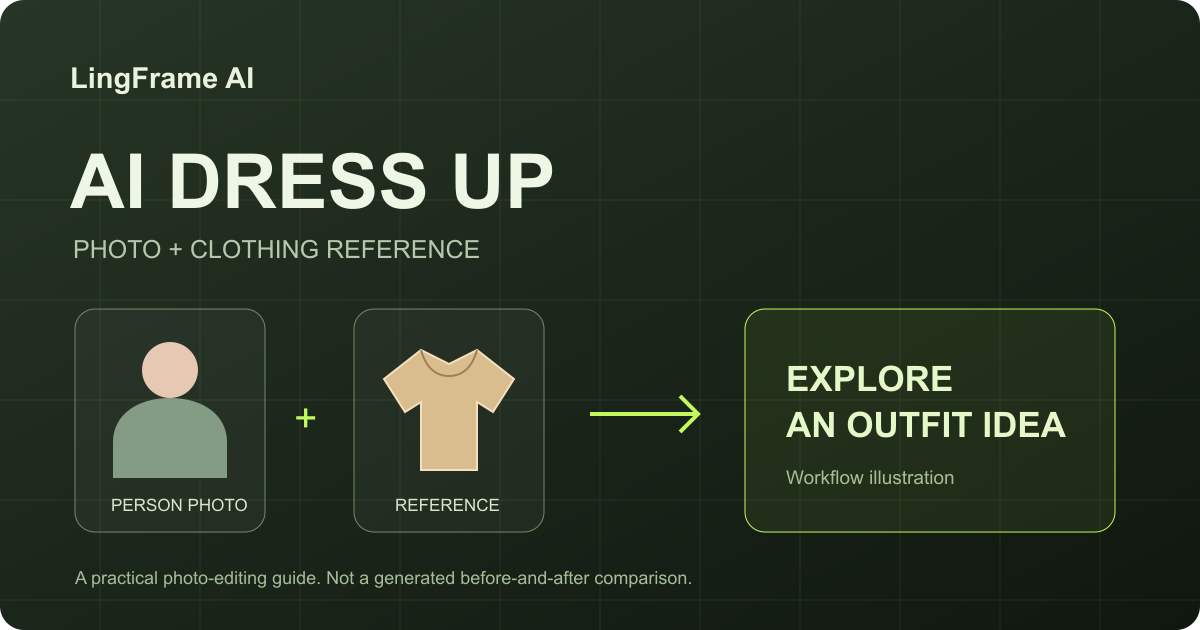 Shot plan
- Choose the source
- A front or slight three-quarter portrait plus a garment reference that clearly shows its construction.
- Change one thing
- Change the top only, keeping pose, hair, background and accessories initially.
- What to keep steady
- Facial features, neckline placement and hand occlusions.
Give them a premium outfit and change the hair, pose, location and body shape too.
Without an observable action or clear constraints, it is hard to judge whether the output meets the goal.A more specific starting prompt
Adapt this prompt to the image you want to use.Add person and garment images to try it
How to assess this version
Check that the face and body still belong to the same person, then inspect the neckline, cuffs, hands and garment boundaries. This is a styling preview, not evidence of size, fabric or fit.
What to change on the next attempt
If the face or hands change, remove all pose and scene requests first. If garment edges are unclear, change only the reference to a fuller, less obstructed garment photo.
Adjust one item from the checks, then compare.Try another version in the workspace
Expand: keep a reusable iteration log
Download the blank log and add the model, framing and observations. Change one variable at a time so you can trace a difference. This template is not a completed test.
01Check the two inputs before adding more words
| Input | Inspect | Change first if needed |
|---|---|---|
| Person photo | Face clarity, hair and arms crossing the clothes | Use a sharper, less obstructed photo |
| Clothing reference | Collar, sleeves, silhouette and whether a second face is visible | Keep the person photo and try a reference of the garment on its own |
| The pair | Whether the visible body area matches the outfit | Use a source showing the area you need to edit |
02Reduce the request to one outfit change
Use the try button at the top of this guide to open AI Outfit on a phone or computer. Add the portrait and garment image to their own slots. Sign in and check the credit cost before submitting.
Remove instructions for a different face, pose, setting or dramatic new lighting. Keep the two references and other settings unchanged for the next attempt where possible. A tighter instruction makes comparison easier; it is not a proven identity lock.
03Use a restrained instruction as a starting point
This is an untested writing example. Adapt it to what your two images show. Asking for ‘the exact same face’ repeatedly is not a substitute for a clear source and inspection.
Change the outfit, preserve the scene
04Compare identity and clothing separately
Place the original and result side by side. First compare the face, hairline and expression. Then enlarge the collar, cuffs, hands and where hair or bag straps cross the outfit. A convincing garment does not mean the face stayed accurate.
If hands merge with sleeves, prefer a less obstructed person photo before adding more accessories. If garment structure is wrong, revise the clothing reference while keeping the person photo stable. Save each version with its settings. The result is a styling preview, not evidence of sizing, comfort or physical fit.
How to do it in LingFrame AI
Open the creation workspace, sign in and choose AI Outfit. Put the person photo and clothing reference into their respective input slots.
Adapt the relevant prompt below to one main movement. Avoid changing the subject, background and camera together.
Choose the ratio, duration and quality available for the selected model. Review the credits before submitting.
Open the result in your creation history and watch the full clip against the checks below. Change one variable and save a record if you retry.
LingFrame AI
Put this guide to work on your own photo
Prepare your images and choose the matching tool in the workspace. Check the model, settings and credits before submitting.
On mobile, check App availability and download options first.
Before you keep the result
- The face and expression are acceptable against the original
- Collar, cuffs, hands and overlaps are coherent at full size
- The edit is appropriate to share and is not presented as proof of actual fit
Frequently asked questions
Does a clothing reference preserve the face?
It describes the garment, not an identity lock. The person photo and careful result inspection still matter.
Can an AI outfit edit establish the right size?
No. It is a styling preview. Real measurements, fabric and fit require product information or an actual fitting.
Sources and method
The two-input workflow follows the product configuration described in the existing outfit guide. No paid outfit generation or controlled identity-preservation experiment was performed for this article. Suggested corrections must be checked on actual results.
Prepared by the LingFrame AI content team. File observations, illustrations and suggested instructions are identified separately. Prompts express a goal, not a guarantee. Check the current workspace for available models, upload limits, settings and credits.